Dear User,
We request you to enable API Access on GST Portal to receive OTP. Please refer to the step by step guide for the same.
You may click GENERATE OTP once API access in enabled on GST Portal.
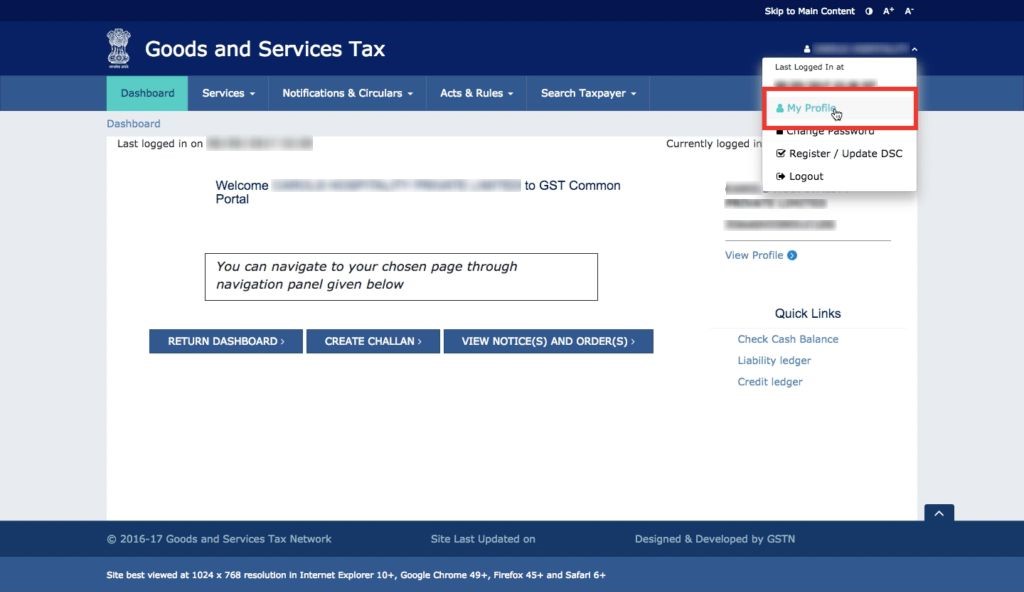
Step 1: Login to your GST Account
Visit the GST Portal and login to your GST account. Click on My Profile from GST Option drop-down menu.
To visit GST Portal, click here.
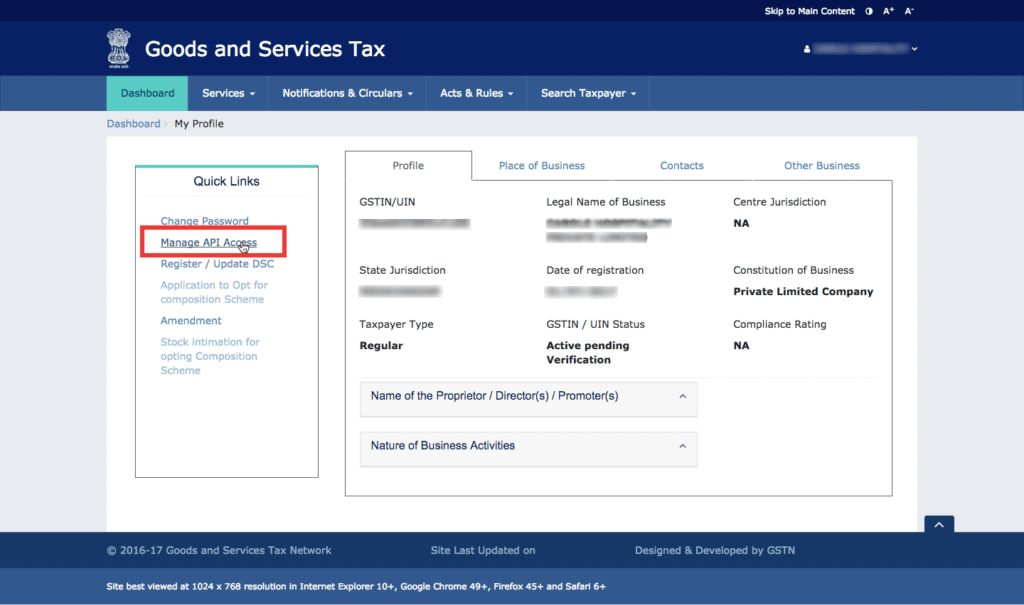
Step 2: Select Manage API Access
Select manage API access from the left-side menu to access the API settings page on the GSTN portal.
Step 3: Enable GST API Access
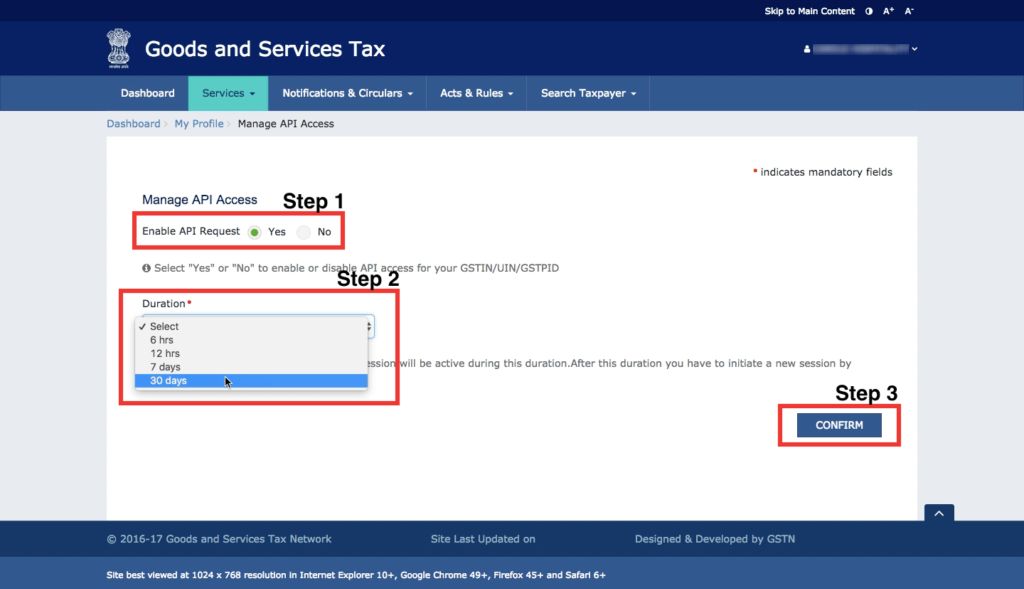
Change the setting to "Yes" for Enable API Request. In the duration drop-down menu, select the session time. The session time will determine how long each authentication through OTP will be valid.
Once the duration is selected, click on confirm.